
Configure a device
You can change device settings on each device manually, or you can remotely configure your devices if you are subscribed to the Premium plan.
On each device
-
Tap on the logo to open the menu.
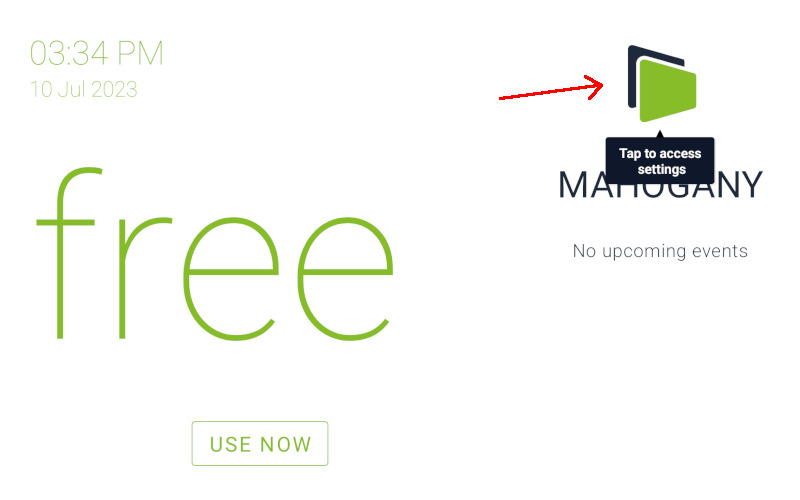
-
Tap on
Change Settings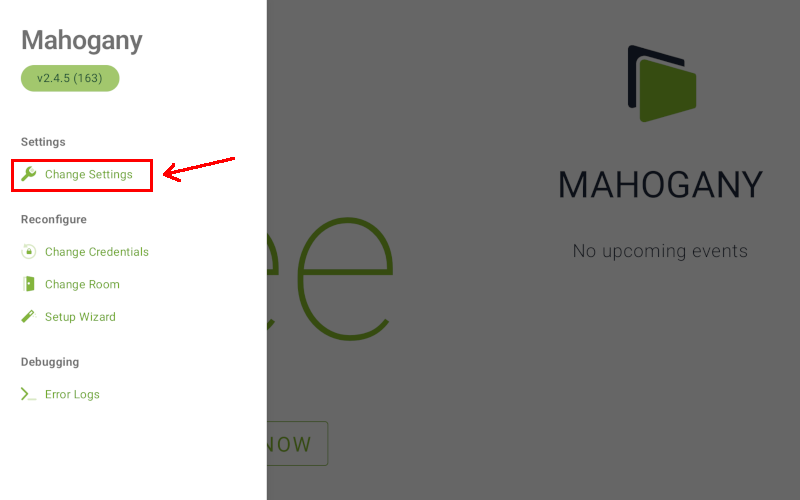
-
(optional) If you have previously set a PIN for Fishbowl, then you will be asked to enter the PIN before you can access the settings.
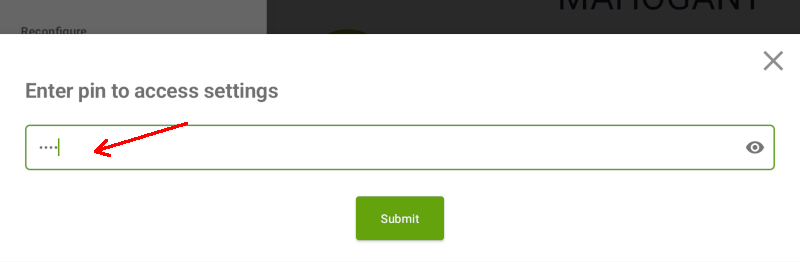
-
Scroll through the settings by touching and dragging the screen up or down. After making changes, tap on
Saveto apply the settings.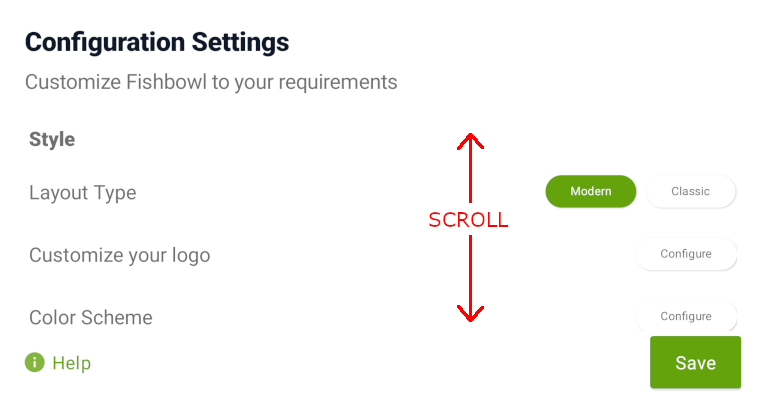
Remote configuration
Please note that this is a Premium plan feature
- Open a web browser (on a computer) and Log in to your Fishbowl account.
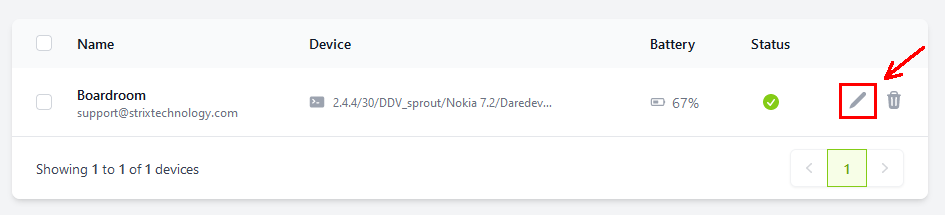
- After signing in, you will see a list of all your linked devices. Click on the pencil icon next to the device that you would like to edit.
- Expand the relevant sections by clicking on the
+icons, or click onExpand allto expand all sections at once.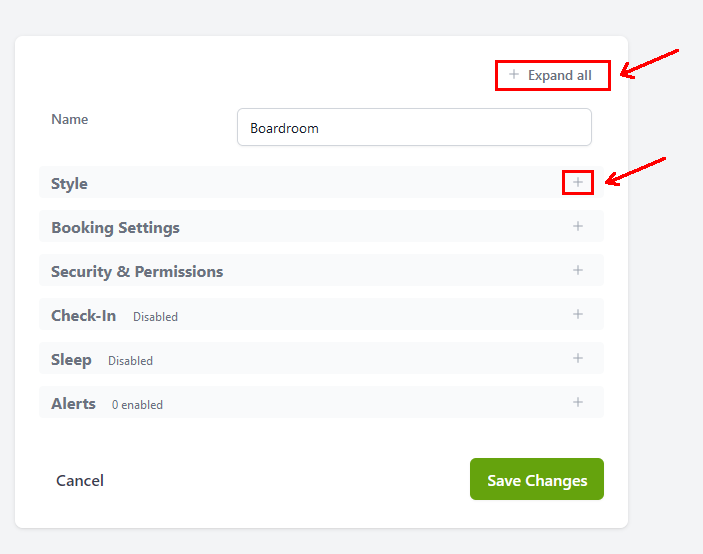
- After making changes to the settings, click on
Save Changes. The saved settings will sync with the device within 2 minutes.
Settings Glossary
For a full list of all available settings, please refer to the Settings Glossary