
Teamup
- Go to the Teamup Create Calendar page and create a calendar (optional).
- Under
Calendars, click onEdit.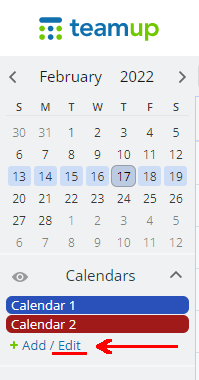
- Click on the
Sharingtab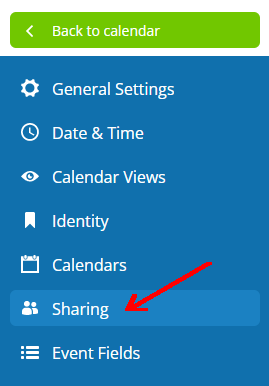
- Make a note of the
Modifierkey, e.g. if your address ishttps://teamup.com/ksw1ierizs9irx7oxythen your key isksw1ierizs9irx7oxy.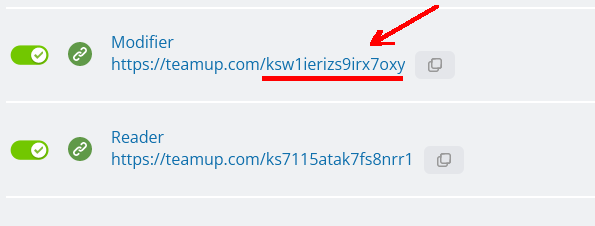
1. Configure Fishbowl
- When configuring Fishbowl, on the
Select Calendar Typepage, selectTeamup. - Enter your key/calendar ID when prompted. If applicable, select
My calendar is password protectedand enter your password. Tap onNext - Teamup creates two calendars by default. Select the calendar that you prefer and tap on
Next.