
Device Logs
If enabled, your devices will sync their logs with the Fishbowl portal where you can monitor the logs and debug errors remotely. These are Fishbowl app logs, not system logs. Usually the logs are related to errors that occurred while syncing your events.
Please ensure that your devices have been updated to the following minimum versions that support logging:
Android 2.6.5iOS 2.1.0
View recent device errors (all plans)
- Open a web browser (on a computer) and Log in to your Fishbowl account.
- After signing in, you will see a list of all your linked devices. Click on the on the device name to view it.
- On the right side,
Recent Errorswill displayErrorandCriticallogs (see Log Levels) that occurred in the last 7 days.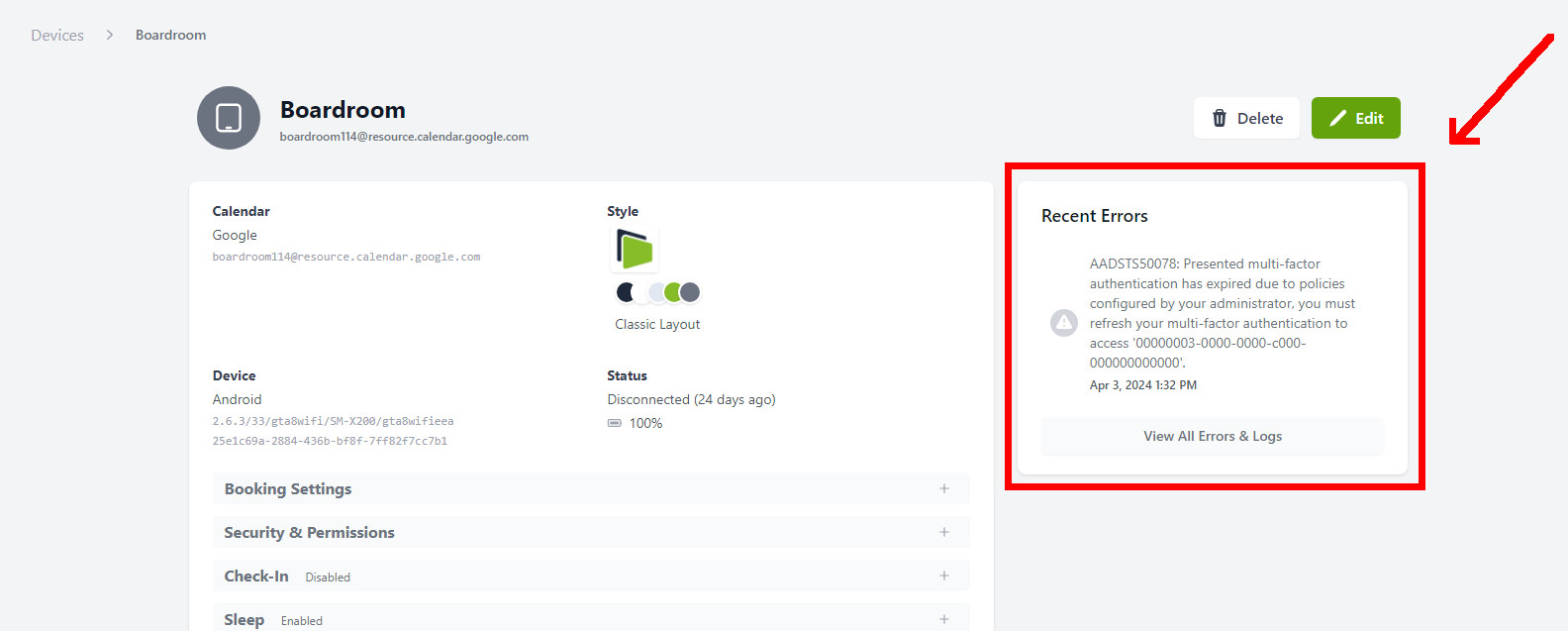
Log inspector (all plans)
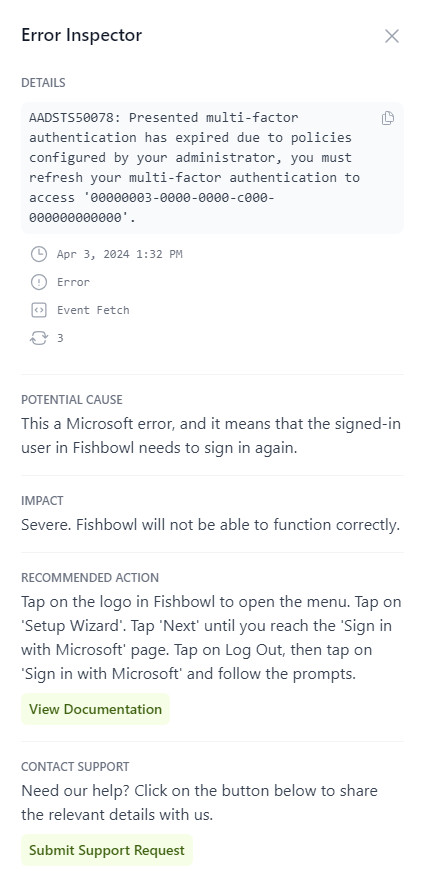
Click on any log to view more details about it. If it is a known error, then Fishbowl will also display potential causes, impact, and recommended action.
You can also click on Submit Support Request to share the log details with us.
View all logs (Premium only)
-
Open a web browser (on a computer) and Log in to your Fishbowl account.
-
After signing in, click on the
Errors & Logsmenu item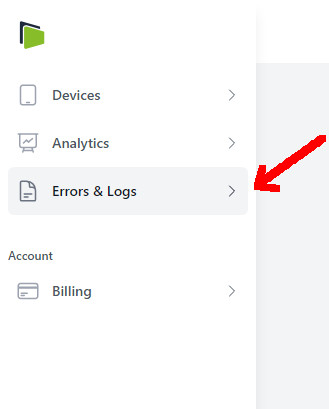
-
Click on
Filterto open the filter options.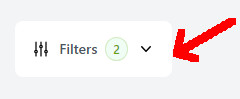

-
You can select the following filter options
| Filter | Description |
|---|---|
| Dates | Display logs between the selected start and end dates |
| Device | Limit to a certain device |
| Log Levels Up To | Display logs of this log level and higher. For example, if you select Error, then both Error and Critical logs will be shown. See the log level definitions below. |
| Message Text | Filter based on the log message text. |
Note: Logs are synced every 30 minutes. If your logs are still not shown after 30 minutes, please contact us at [email protected]
Log levels
The following log levels exist:
| Log Level | Impact |
|---|---|
Debug |
None |
Error |
Moderate if no action is taken |
Critical |
High |
Log contents
Logs do not contain sensitive or confidential information.
The following fields are stored as part of a log:
| Field | Description |
|---|---|
external_id |
The ID of this log on the device. Logs are stored in a local database on each device. This is the ID of this log in the local database of the specific device. |
message |
The log message, e.g. The specified folder could not be found in the store |
event_id |
The ID of the event, if applicable. |
type |
Some context of when this log was generated. E.g. EVENT_FETCH means the log was generated while fetching events. |
count |
The number of times this log was repeated within a 30 minute interval. |
log_level |
The severity of the log, as described in the previous section. |
first_occurred_at |
The time in UTC when the log first occurred. This only refers to the first time it occurred within the 30 minute window when this log was generated. |
last_occurred_at |
The time in UTC when the log last occurred. If count = 1 then this will be equal to first_occurred_at. |
Example log contents
{
    "external_id": 16687,
    "message": "Unable to resolve host \"www.googleapis.com\": No address associated with hostname",
    "event_id": null,
    "type": "EVENT_FETCH",
    "count": 1,
    "log_level": 3,
    "first_occurred_at": "2024-04-08T07:00:14.000000Z",
    "last_occurred_at": "2024-04-08T07:00:14.000000Z",
}